Browse the docs
Guides
Work without the server
Keep an encrypted offline copy of your vaults on your device, open it while the server is unreachable, and sync changes made as drafts after you sign in.
Last updated
On this page
When the Crunu server is unreachable, during a maintenance window or a network outage, work doesn't have to stop. Each person can keep an encrypted copy of their vaults on their own device and open it with no server at all. Machines keep their environments too, from the agent's encrypted cache.
Available from Crunu 6.3.0, on app.crunu.com and on your own server alike.
Turn on the offline copy
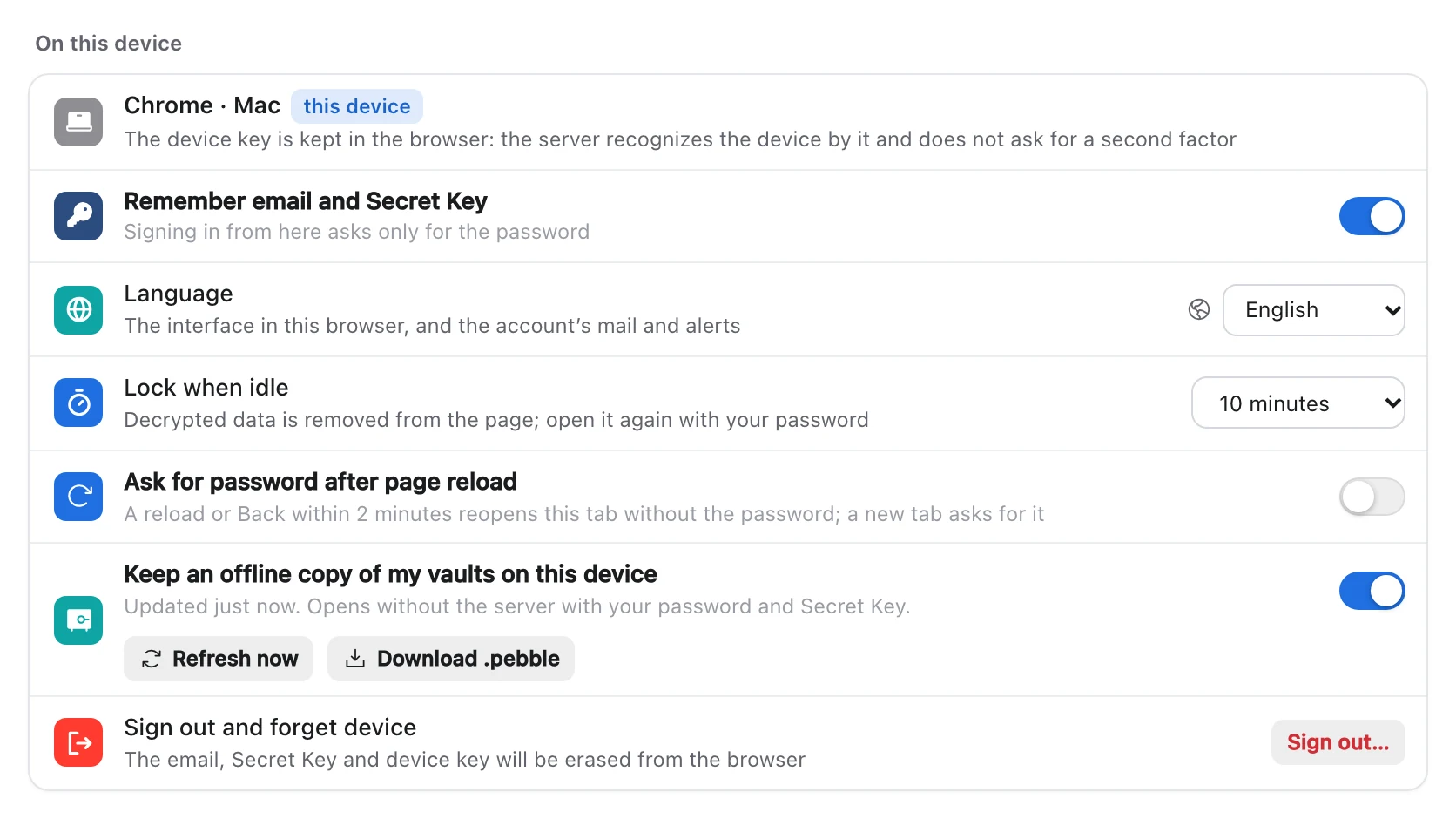
Open Account, then Profile, and turn on Keep an offline copy of my vaults on this device. The copy holds every environment you can read, in every organization of your account on this server, and it is kept up to date while you're signed in.
- It's encrypted with a key that comes from your password and Secret Key, so it opens only with both.
- It's kept per device and per account. Turn it on on each device where you want it.
- Refresh now updates it at once. Download .pebble saves the same copy as a file, after a check with the server.
- A copy is limited to 64 MB per account.
- A private window can't keep a copy, because the browser deletes its data when the window closes.
Environments restricted by a network rule are never put into the copy. When an environment becomes restricted, or your access to it ends, it leaves the copy with its draft at the next refresh, and the app tells you.
Open it without the server
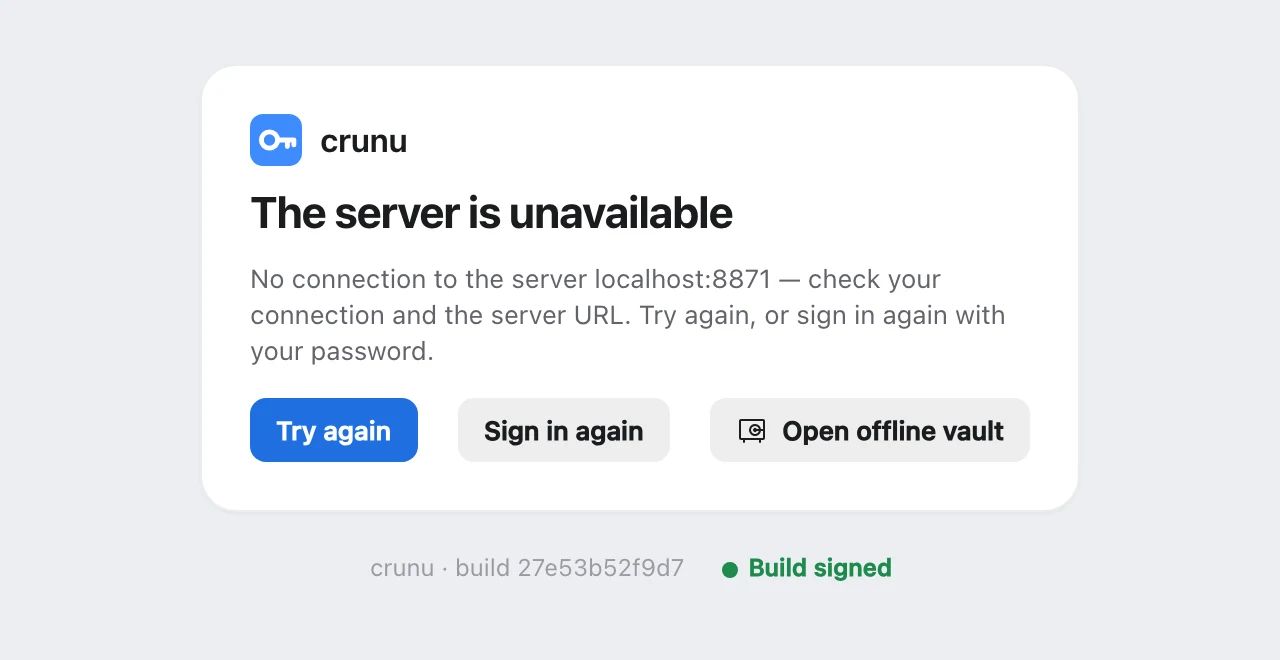
When the server doesn't answer, the web app shows The server is unavailable with Open offline vault. The same button is on the welcome and lock screens, and the full sign-in form has Work offline. Enter your password, and your Secret Key if this device doesn't remember it.
The copy opens with an Offline badge: “Opened on this device without the server. Changes are drafts until you sign in again.” You can:
- browse organizations, projects and environments, and search;
- read, reveal and copy values, as fields, code or text;
- edit, add, rename and delete files.
The copy locks by hand or after the same idle time as the app, and locking clears the clipboard. You can also open a .pebble file downloaded earlier: choose Open a .pebble copy or drop the file on the page.
Changes become drafts
An edit made without the server is saved on the device as a draft: “Draft saved on this device. It will be offered for sync after you sign in.” Nothing is signed while you're offline, and a draft never changes the version history by itself. The sidebar marks environments that have a draft.
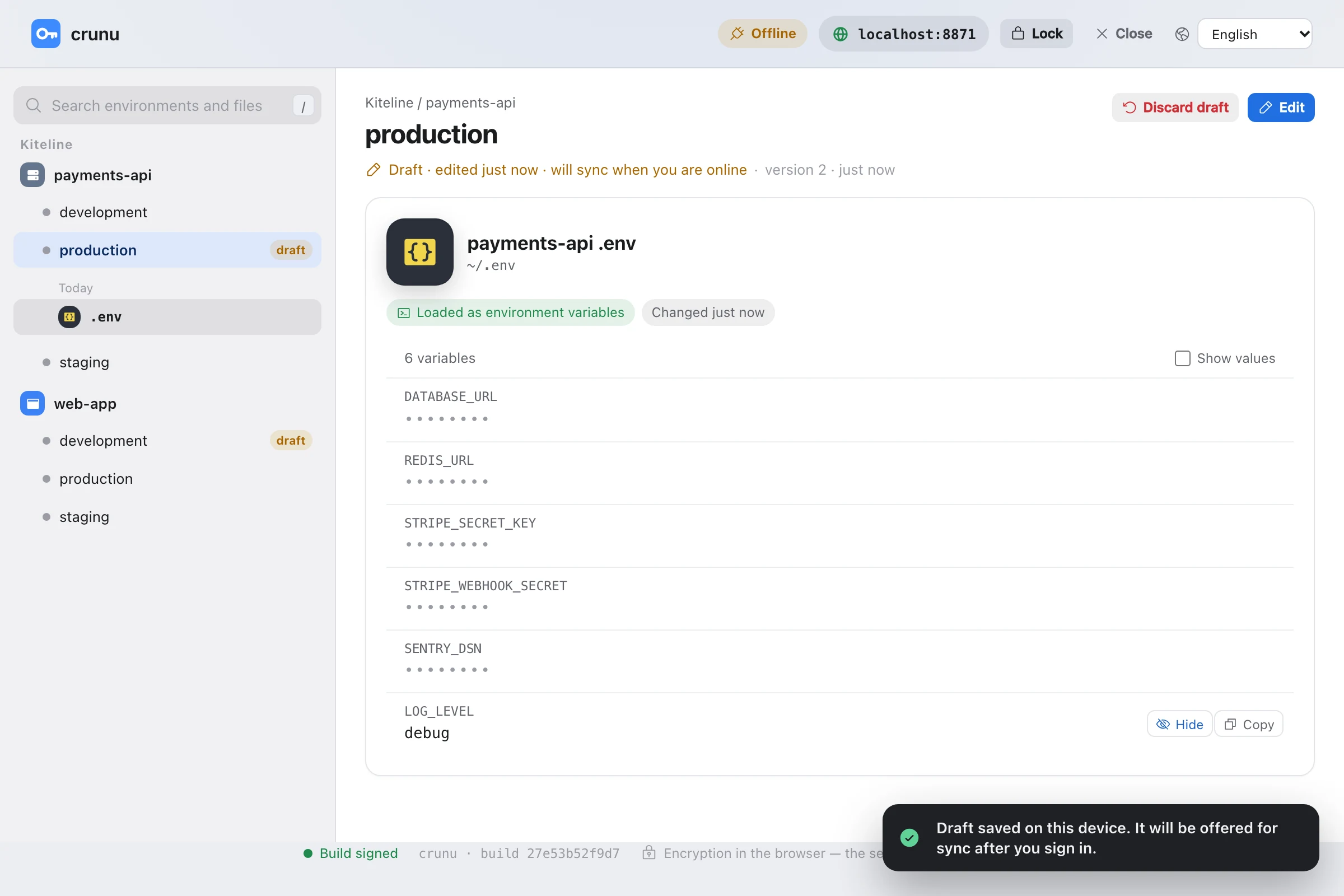
Discard draft deletes it from the copy. The version on the server isn't affected.
Sync after you sign in
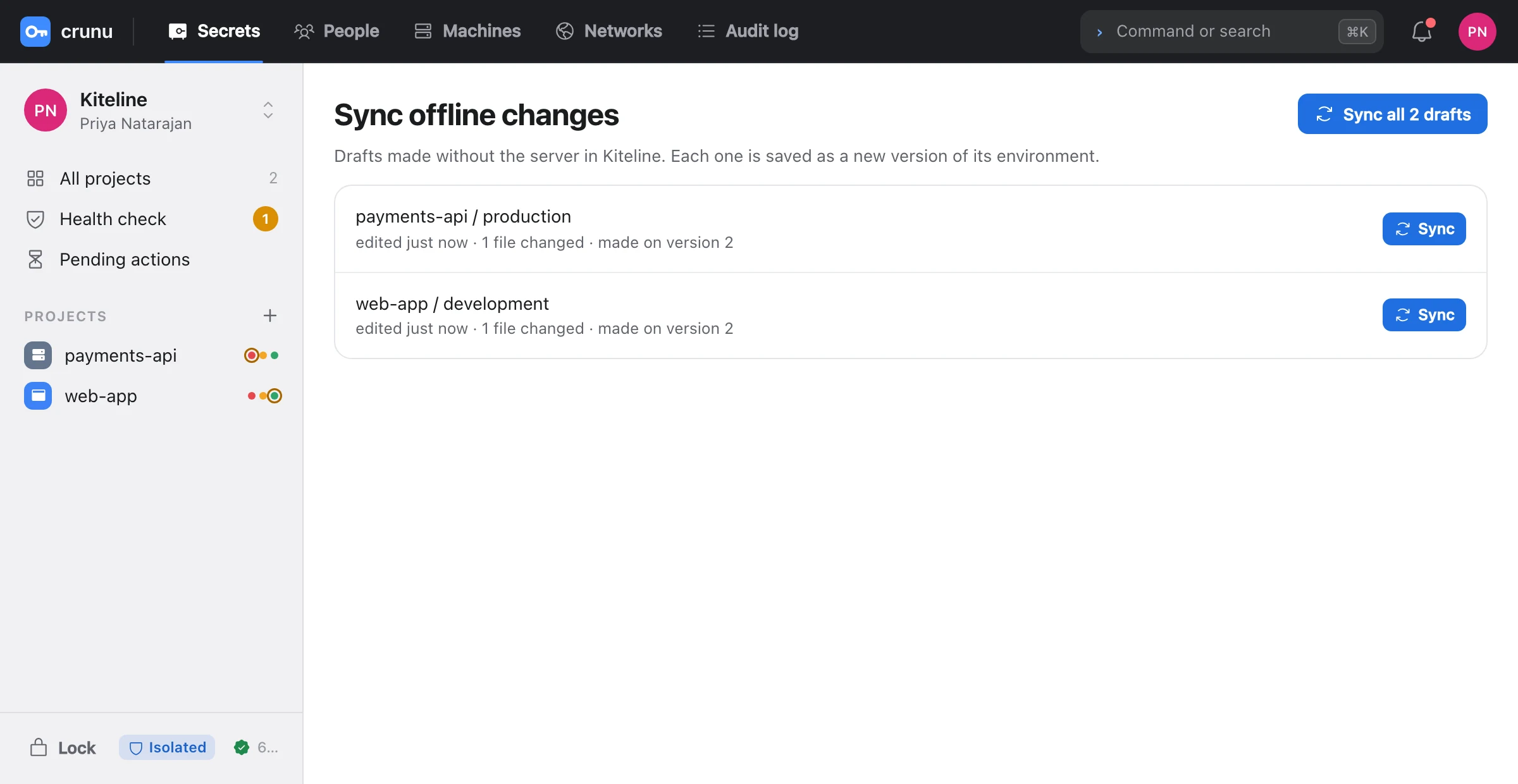
After the next sign-in, the app reminds you: “You have 1 draft made without the server.” Sync offline changes lists the drafts, and each one is saved as a new version of its environment through the normal save. It's signed with the keys and recipients the server has now.
If someone changed the environment on the server meanwhile, the app merges the two. Files changed on both sides go to the same conflict chooser as in the online editor.
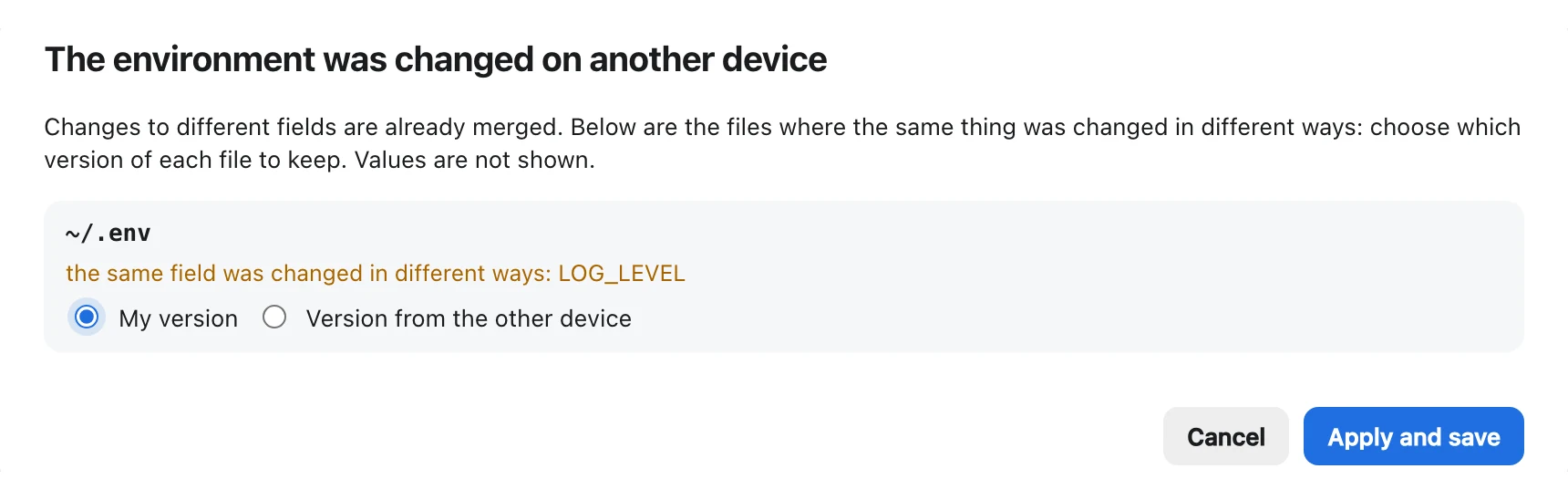
Each draft ends as one of:
| Outcome | What it means |
|---|---|
| Saved as a new version | the draft is now a version |
| Already the same as on the server | nothing to save |
| Kept as a draft | the conflict wasn't resolved; try again |
A draft that can't be saved, because you lost write access or the environment became restricted, stays on the sync screen. You can discard it, or Export draft as files.
Things to know
- After you change your password or Secret Key, the old copy opens only with the old ones until it's rebuilt. The sync screen keeps its drafts until you decide.
- A copy opened from a
.pebblefile keeps drafts only if you download the updated file. - Turning the copy off deletes it from the device, drafts included, after a confirmation.
- Anyone who has your Emergency Kit and knows your password can open the copy. Protect the device as you protect them.
Machines without the server
An agent that restarts while the server is unreachable keeps serving the environments it had from its encrypted cache, /var/lib/crunu/cache.bin, until its lease ends: 24 hours by default. crunu status shows the state as offline (from the cache saved …). The cache opens only with that machine's own key, and network-restricted environments are never cached. A revoked machine deletes it within one check.
See also Export and offline copy for the other export formats.